Bring the great books to life.
Vela is a calm, beautiful reader for the world's great books. Its companion, Pip, explains any line you highlight and paints any scene you can't quite picture — then gets out of the way.
For iPhone and iPad, and in any modern browser at app.vela.cool.
A quiet reader, with someone who has read everything beside you.
Your books live with you
Every book downloads whole, so it opens instantly and reads offline: on a plane, in the garden, long after the Wi-Fi gives up. Your place, highlights and bookmarks are kept on your device.
Pip, when you want help
Highlight a line to ask about it, or open Pip's tab to talk about what you're reading, find what to read next or take a quick quiz. When you just want to read, Pip stays quiet.
The real book, not a shortcut
Vela doesn't summarise the book for you. It gives you the context you'd otherwise put the book down to hunt for, so you keep reading the real thing — and finish it.
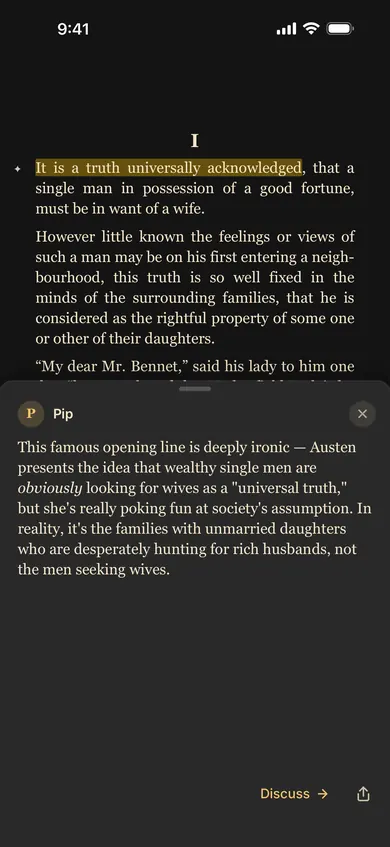
Stuck on a line? Highlight it and ask.
Get the historical context, the meaning of an old word, a reminder of who's who, or what a dense paragraph is really saying — in seconds, right beside the text.
- The answer stays with its passage. A ✦ in the margin brings it back any time, at no cost.
- Want to go further? Discuss carries the passage into a conversation with Pip.
- Like any AI, Pip can be wrong; it's a well-read friend, not the final word.
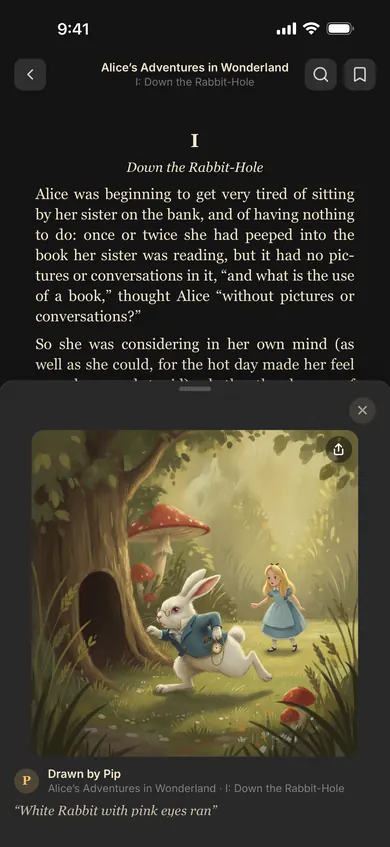
See the scene you're reading.
Highlight a moment and Pip paints it, drawn from the author's own words: the White Rabbit checking his watch, the Pequod in a gale, a ballroom in Hertfordshire.
- Each illustration is saved with its passage, in the book's own gallery.
- Illustrations stay on your device, and you can share any of them as a card.

Mark what moves you. Share it beautifully.
Highlights in four colours
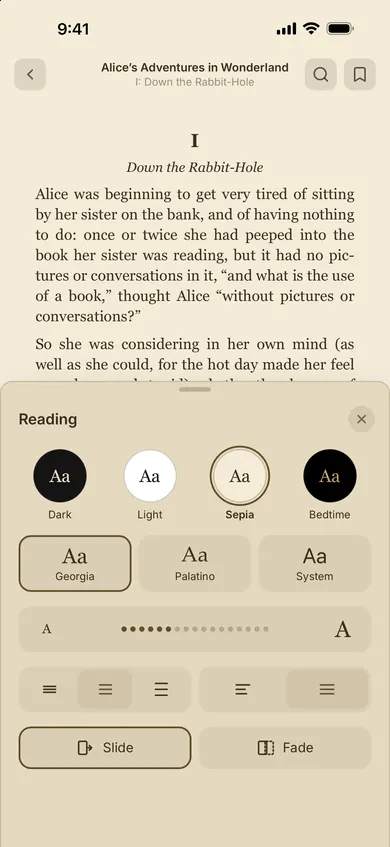
Keep the lines that matter, with bookmarks and in-book search to find your way back. Light, sepia, dark and bedtime themes; your font, size and spacing.
Quote cards
Turn any line into a card in your reading theme's colours, ready for Messages, stories or Photos. Sharing a quote is always free.
Answers and illustrations
Send an answer or a picture as a card or a link. Anything Pip made is marked as AI, so friends always know what they're reading.
Tens of thousands of the great books, set beautifully.
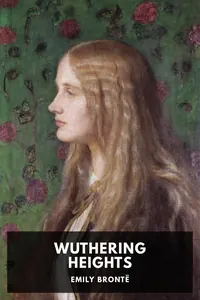
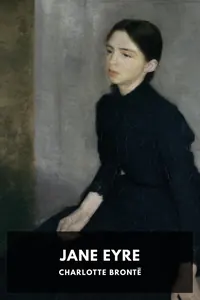
Vela's catalog draws on Standard Ebooks and Project Gutenberg. Every book in it is in the public domain, so there's nothing to buy: find one, tap Get, and start reading. Tonight's reading suggests one to begin with.









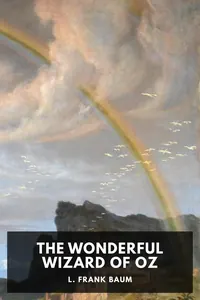


- Standard Ebooks & Project Gutenberg
- Bring your own EPUBs
- Reads offline
- Shelves for your collections
A reader for everyone at home.
Add a reader for each person who reads with you. Each one picks a portrait from an illustrated classic and keeps their own place, highlights, bookmarks and reading stats.
- Tap Who's reading? to switch in a moment.
- Reading aloud? Choose several readers and read together: everyone listening moves on with you.
- Finish a book and a star appears round your portrait.
Bedtime
A dim amber-on-black theme for reading in the dark without lighting up the room. Calm books carry a Bedtime label, for the last story of the day.



What you read is yours.
Vela is built local-first: the books, your place in them and what Pip draws for you live on your device. We don't run ads or track you, and we never sell your data.
On your device
Books and illustrations stay on your device, and on iPhone and iPad you can read without an account. Subscribers can sync across devices when signed in.
No ads, no tracking
No advertising, no following you across apps or sites, no marketing analytics. The only diagnostics are anonymous crash reports.
Pip remembers what you allow
Signed in, Pip learns how you read so its answers fit you. Your words are kept 90 days; you can read or delete what it remembers, or switch learning off. Nothing you ask trains AI models.
Gone when you say so
Delete your account from inside the app and its data goes with it, from our servers and from your device.
Read as long as you like. Ask as much as you need.
The reader and the whole catalog are yours to keep. A plan buys Pip's questions: one for each answer, three for an illustration.
Free
$0
Everything you need to read, and a taste of Pip.
- The full reader and catalog
- Highlights, bookmarks, shelves and quote cards
- A one-time trial of about 50 questions, when you sign in
Pro
$6.99 / month
For reading with Pip, week in, week out.
- About 150 questions a month
- Your library, place and highlights synced across iPhone, iPad and the browser
- Everything in Free
Bonfire
$14.99 / month
For the reader who asks about everything.
- About 500 questions a month
- The same Pip as Pro, just more of it
- Sync across your devices
Prices in US dollars; the App Store shows yours. Subscriptions are bought in the iOS app and renew monthly until you cancel; signed in with Apple, your plan comes with you to the browser. Opening a saved answer or illustration again never costs a question.
A few things people ask.
What is Vela?
A reading app for the world's great books, on iPhone, iPad and the web, with a companion named Pip. Pip can explain a passage, illustrate a scene, suggest what to read next, quiz you on a book, or just talk it over. You can rename Pip if you like.
Where do the books come from?
From Standard Ebooks and Project Gutenberg. They're in the public domain, so there's nothing to buy. You can also import your own EPUB files, as long as they aren't DRM-protected.
Can I read in a browser?
Yes. app.vela.cool runs the same reader in any modern browser, with your library, shelves and Discover. Sign in with Apple there to add books. With Pro or Bonfire, your place, highlights, bookmarks and shelves sync between the browser, iPhone and iPad.
Do I need an account?
Not to read on iPhone or iPad. You sign in with Apple to use Pip, to sync, and to add books in a browser.
Is there an Android app?
Not yet. On Android, Windows or anywhere else, use app.vela.cool in your browser and sign in with an Apple ID.
How do questions work?
Each answer from Pip uses one question and each illustration three. New accounts get a one-time trial of about 50; Pro brings about 150 a month and Bonfire about 500. Opening a saved answer or illustration again, and sharing anything, is free. Vela picks the AI model for each job, the same on every plan.
Is Pip always right?
No. Pip is an AI, and AI can be confidently wrong. Treat an answer like a note from a well-read friend: a good start, worth checking against the text.
How do I cancel a subscription?
Apple manages it: on your iPhone or iPad, open Settings, tap your name, then Subscriptions. Deleting your Vela account doesn't cancel an App Store subscription, so cancel there first.
How do I reach you?
Write to hello@vela.cool, or use Send feedback in the app's You tab.
Open a great book tonight.
Pip will be there if you need it.